Workspaces
A workspace is a predefined set of windows that are meant to be opened together. Each window in the workspace has its own content and state.
Workspaces are built on top of the Multi-window system.
To create and delete workspaces, use the menu .
Workspace manager
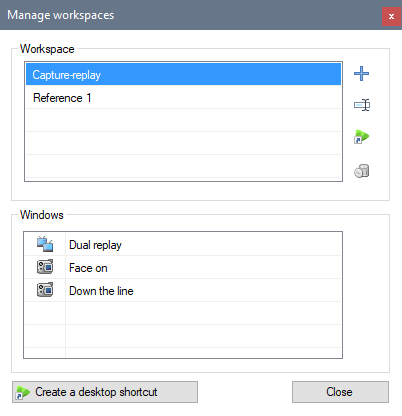
The workspace manager is divided in two areas. At the top, the workspace list shows the existing workspaces and lets you create, rename and delete them, or create a desktop shortcut to open a specific workspace. At the bottom, the window list shows the windows that are part of the selected workspace.
|
Creates a workspace referencing the currently active windows and prompts for a name. |
|
Opens a dialog to rename the selected workspace. |
|
Creates a shortcut on the desktop to open the selected workspace. |
|
Deletes the selected workspace. |


Creating shortcuts
To create a shortcut to open a specific workspace, use the button Create a desktop shortcut. (Same function as the one next to the workspace list.)
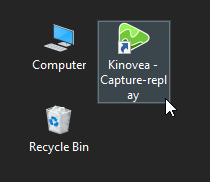
The shortcut will automatically be created on the desktop.
When the shortcut is used, Kinovea will start and reopen all the windows defined in the workspace.
Storage
Workspace files are saved as XML files in the application data folder under the Workspaces subfolder.
A workspace only contains references to windows. It does not store any state by itself.